
The Best Pitch Correction Plugin for Vocals (With Live Sound Tests!)
There are a ton of pitch correction plugins out there, but what one's the best for your needs? In this video, I go through all of biggest pitch correction plugi

Key Takeaways
- Combine Logic's Flex Pitch with standard Pitch Correction for smoother, more professional results.
- Ableton's new Auto Pitch rivals expensive plugins and outperforms most other stock options.
- Waves Tune Real Time excels for live performance but struggles with natural-sounding correction.
- Melodyne 5 dominates manual editing while Autotune Pro 11 remains the automatic correction king.
- Good pitch correction enhances solid performances but cannot fix poor singing or timing issues.
Choosing the best pitch correction plugin feels like it should be simple — set your key, adjust the retune speed, done. Wrong.
With about 20 different autotune-style plugins flooding the market, each with its own flavor and approach, finding the right one for your voice can be overwhelming. Most offer free trials, but who has time to download and test every single option?
That’s where I come in. I grabbed every major pitch correction plugin I could find and put them through their paces on my voice. Think of this as your sampler platter before you commit to the full meal.
I tested each plugin based on specific criteria that make pitch correction actually useful: sound quality, ease of use, features, and value. For every plugin, you’ll hear audio examples at both high retune speeds (that classic tuned sound) and low retune speeds (more natural correction).
I also made a full video on this…
All the ideas in this article come from the video below. If you don't feel like reading, well, I gotchu.
Part of the Vocal Mixing series — For the full picture, read my complete vocal mixing guide.
The Free Options: What Your DAW Already Gives You
Logic’s Triple Threat: Pitch Correction, Flex Pitch, and Vocal Transformer
If you’re running Logic, you’re sitting on a goldmine of pitch correction tools that most people completely ignore.
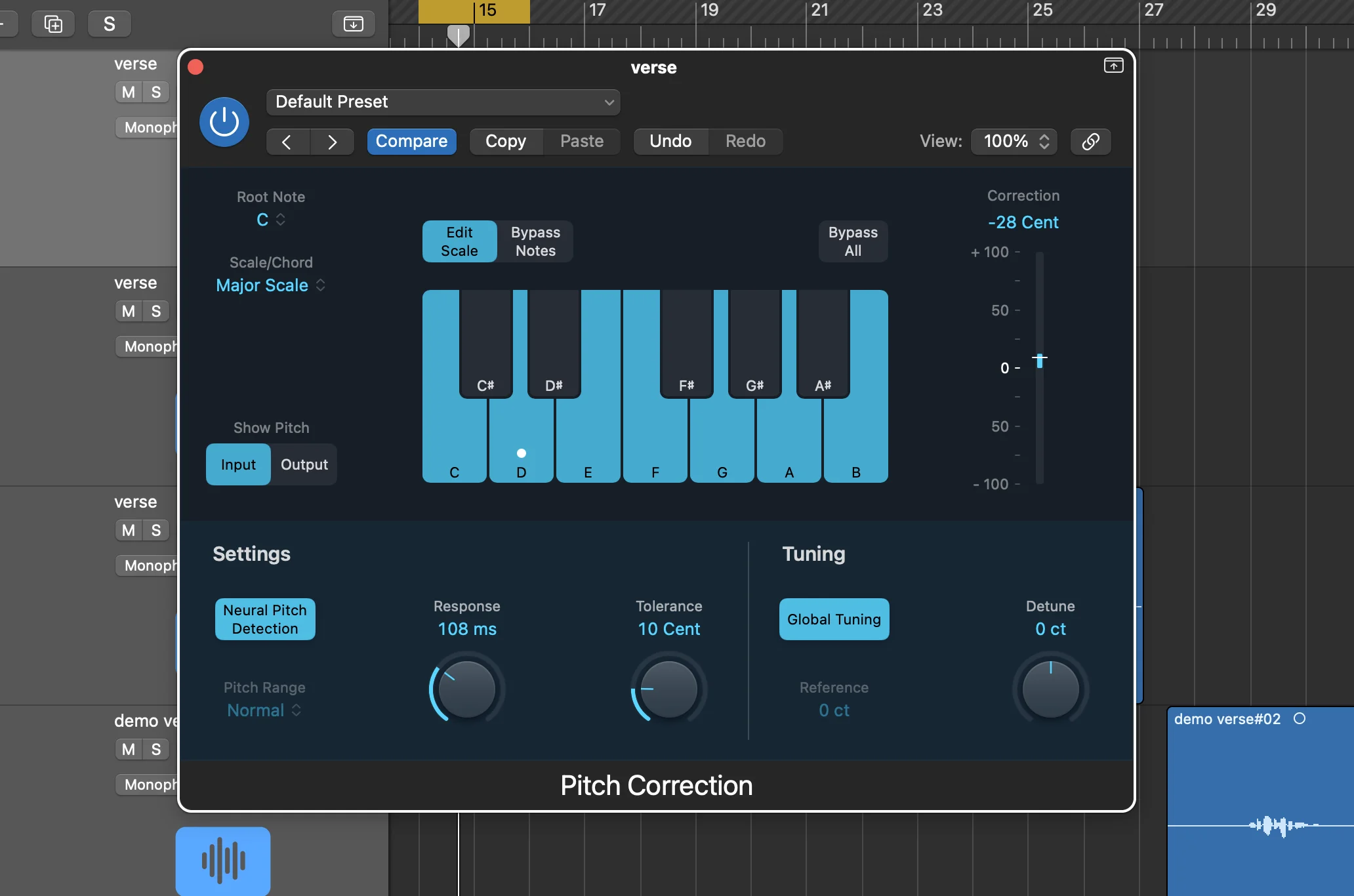
Logic Pitch Correction is your standard automatic plugin. Set the retune speed, choose your key, and you’re off to the races. It sounds… okay. Not amazing, but functional for basic correction.
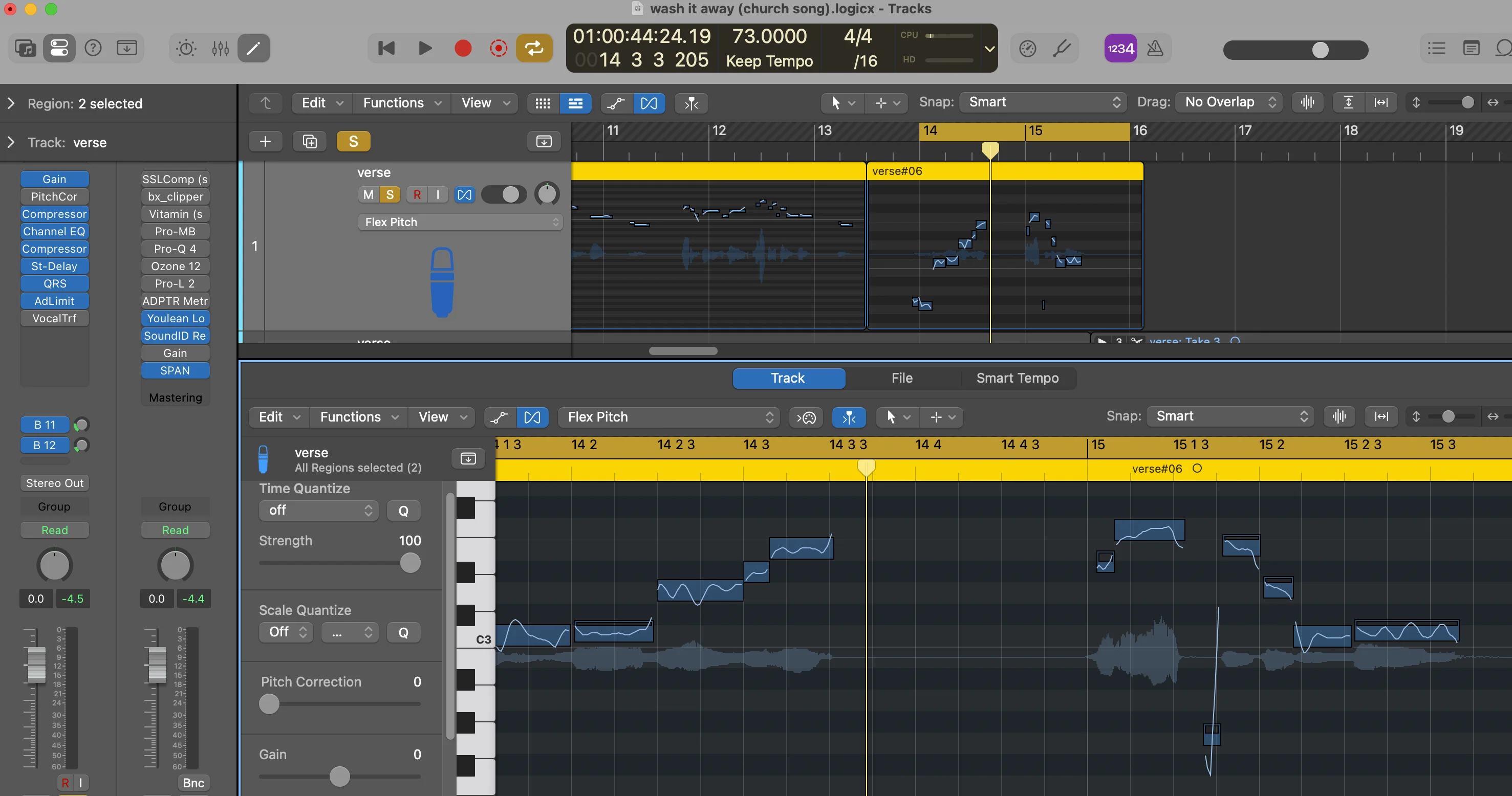
The real magic happens when you combine it with Flex Pitch.
Flex Pitch isn’t technically a plugin — it’s an audio processing feature that analyzes your track and identifies every note you’re singing. Then you can manually adjust individual notes to perfect pitch. This manual approach gives you way more natural-sounding results than pure automatic correction.
Here’s the thing most Logic users miss: combine Flex Pitch with the standard Pitch Correction plugin. The results are noticeably smoother and more professional than using either one alone.
Vocal Transformer rounds out Logic’s pitch toolkit, though I use it for one specific purpose: formant shifting. This won’t change your pitch, but it’ll make your voice sound more monstrous or squeaky. Essential for creative vocal effects.
The formant capabilities matter more than you might think — it’s the difference between pitch-corrected vocals that sound natural versus obviously processed.
FL Studio’s Pitcher: Functional but Forgettable
FL Studio’s Pitcher plugin handles basic automatic pitch correction adequately, but it falls short compared to the competition.
If you don’t have FL Studio’s full version, you’ll need to buy Pitcher separately. That’s where the value proposition breaks down — if you’re already spending money on pitch correction, there are better options for the same price range.
The formant shifting exists but sounds mediocre. The automatic correction works but lacks the smoothness of better plugins. Save your money and look elsewhere.
Ableton’s New Auto Pitch: The Dark Horse Winner
Ableton just dropped Auto Pitch for beta testers of version 12.1, and it’s genuinely impressive.
This is hands-down the best stock pitch correction plugin I’ve heard from any DAW. The sound quality rivals paid options, and the Smooth feature lets you maintain natural-sounding vocals while still getting solid pitch correction.
It includes formant shifting (which I love) and strikes an excellent balance between automatic convenience and natural results. If you’re on Ableton and this plugin becomes available to you, don’t look further.
The only limitation? It’s still in beta and feature-light compared to premium options. But for a stock plugin, it’s remarkably good.
Budget-Friendly Paid Options
Waves Tune Real Time: The Live Performance Champion
Waves Tune Real Time excels in one specific area: zero-latency monitoring. You can hear the pitch correction in real-time as you record, making it perfect for live settings or tracking sessions where you want immediate feedback.
The plugin nails the classic tuned vocal sound without breaking your budget. It’s straightforward to use and includes more features than most plugins at this price point.
Where it struggles: natural-sounding correction and formant control. If you want that heavily tuned, robotic vocal effect, Waves Tune Real Time delivers. For subtle, transparent correction? Look elsewhere.
Skip Waves Tune (the manual version). It’s dated, clunky, and not worth your time when better options exist.
Autotune Access: Simplicity Done Right
Autotune Access is Antares’ answer to Waves Tune Real Time — their budget automatic pitch correction plugin.
The feature set is limited compared to higher-tier Autotune plugins, but what’s there works well. The interface is dead simple, and the sound quality generally beats Waves Tune Real Time, especially for more natural correction.
The plugin excels when you want subtle pitch correction that doesn’t scream “autotuned.” It struggles with heavily processed sounds but handles transparent correction beautifully.
Key limitation: No advanced controls for fine-tuning the sound. You get basic pitch correction and that’s it. For beginners who want set-it-and-forget-it functionality, that’s actually a strength.
Mid-Tier Professional Options
Autotune Artist: More Control, Better Sound
Autotune Artist represents a significant step up from Access. You’re paying more, but you get substantially better sound quality and control.
This automatic pitch correction plugin still handles the classic tuned sound well, but now you have knobs to fine-tune the character. The Humanize control is particularly useful — it adds natural variation that prevents the overly robotic sound of cheaper plugins.
The increased feature set makes a real difference in professional mixing scenarios. You can shape the pitch correction to fit different vocal styles and songs instead of accepting a one-size-fits-all approach.
Best use case: When you want automatic pitch correction but need more sonic control than budget options provide.
Re-Voice 5: Manual Correction with a Learning Curve
Re-Voice 5 by Synchro Arts takes a completely different approach — manual pitch correction with ARA integration.
ARA (Audio Random Access) lets compatible DAWs analyze your audio in real-time and send it directly to the plugin. When it works, it’s seamless. When it doesn’t… well, Logic users know the pain. You’ll need to run Logic in Rosetta mode, and even then it’s not perfect.
Pro tip: Synchro Arts also makes VocAlign, which perfectly aligns vocal doubles. These two plugins work incredibly well together for professional vocal production.
The manual editing capabilities are powerful — you can adjust every note to exact specifications. The downside? Steeper learning curve and fewer quality tutorials compared to other manual correction options.
Re-Voice 5 sounds good, but the workflow challenges and limited educational resources make it harder to recommend over the next two plugins.
Premium Professional Options
Melodyne 5: The Manual Editing King
Melodyne is the gold standard for manual pitch correction. Period.
After importing your vocal, you can adjust individual notes to perfect pitch while maintaining incredibly natural sound quality. But Melodyne goes beyond basic pitch correction — you can reduce sibilance, add natural-sounding compression, tackle note drift and vibrato issues.
The naturalness of Melodyne’s corrections is unmatched. Even dramatic pitch adjustments sound like the singer actually performed them that way.
ARA integration works flawlessly with most DAWs (yes, even Logic), making the workflow smooth and efficient. The learning curve exists, but extensive tutorials and documentation make it manageable.
The catch: Premium pricing. Melodyne costs serious money, but for professional vocal production, it’s worth every penny.
Bonus for Pro Tools users: Melodyne comes free with Pro Tools subscriptions.
Autotune Pro 11: The Industry Standard
Autotune Pro 11 is the plugin that changed music forever — and it’s still the best automatic pitch correction available.
This flagship plugin combines both automatic and manual correction in one package. The automatic mode sounds better than any other plugin for that classic Autotune effect, while the Graph Mode editor provides detailed manual control when you need it.
The automatic features include Humanize and Flex-Tune controls for more natural results, but this plugin truly shines when you want that unmistakable Autotune sound.
Graph Mode provides manual editing capabilities, though I find the workflow less intuitive than Melodyne for detailed note-by-note correction.
ARA integration streamlines the workflow significantly, and the plugin handles both subtle correction and extreme effects equally well.
Heads up: Antares just released AutoTune Advanced, with a rebuilt algorithm, a new vibrato engine and an under-1 ms Live mode (but no Graph Mode). I ran it against AutoTune Pro, Melodyne and Flex Pitch on the same vocal - here’s how they compare.
My Final Recommendations
Budget Picks: Work with What You Have
If you’re running Logic or Ableton, don’t buy anything else yet. Ableton’s new Auto Pitch sounds fantastic, and Logic’s combination of Flex Pitch and Pitch Correction can produce professional results when used together.
FL Studio users should skip Pitcher and grab Waves Tune Real Time instead. It costs about the same but sounds significantly better and includes more useful features.
For any other DAW, Waves Tune Real Time remains my top budget recommendation. The low latency makes it perfect for recording and live use, and the sound quality beats most stock options.
Professional Recommendations: The Dynamic Duo
I’m going to cheat and recommend two plugins because I genuinely use both constantly, depending on the situation.
For manual pitch correction: Melodyne 5 wins by a landslide. It’s easier to use than Re-Voice 5, sounds more natural than anything else, and has become essential to my vocal workflow. When I’m working on lead vocals that need perfection, this is where I start.
For automatic pitch correction: Autotune Pro 11 is unbeatable. When I need quick correction for demos or background vocals, or when I want that classic Autotune character, nothing else comes close.
The workflow: I often use both plugins on the same vocal. Autotune Pro for quick automatic correction, then Melodyne for detailed manual tweaks on important parts. Sometimes I’ll even run Autotune Pro into Melodyne for the ultimate combination of speed and precision.
The Real Talk About Pitch Correction
These plugins can absolutely transform your vocals, but they’re not magic bullets. The best pitch correction starts with good singing.
No plugin can fix timing issues, poor phrasing, or weak performance. But when you have a solid vocal performance with minor pitch inconsistencies, the right pitch correction plugin becomes an essential finishing tool.
Save up for the good stuff. Budget plugins work for learning and casual projects, but if you’re serious about vocal production, Melodyne and Autotune Pro are investments that pay dividends in every mix.
The landscape of pitch correction has evolved far beyond simple “set key, adjust speed” functionality. Modern plugins offer surgical precision when you need it and transparent correction when you don’t.
Choose based on your workflow, budget, and sonic goals. But most importantly, use these tools to enhance great performances, not fix poor ones.
Want a professional starting point? My Vocal Magic presets give you ready-made vocal chains for any genre — EQ, compression, reverb, and more, all dialed in and ready to go.
Or grab my free vocal presets to try before you buy.
About Mattie
Mattie is a music producer, songwriter, and educator specializing in Logic Pro and vocal production. With over 10 years of experience in the music industry, he's helped thousands of artists transform their home studio recordings into professional-quality tracks.
As the founder of Music By Mattie, he creates tutorials, presets, and courses that simplify complex production techniques. His mission is to make professional music production accessible to everyone, regardless of budget or experience level.