Stop Fighting
Your Vocals
magic.RIDE automatically rides the gain of your vocals to maintain consistent, professional levels - like a skilled engineer riding a fader.
magic.RIDE is an automatic vocal rider plugin by MBM Audio. It levels a vocal phrase by phrase in real time, before the compressor, so the whole performance sits at one consistent volume. There is a free version, magic.RIDE Lite.
Instant download. AU, VST3, AAX & LV2 for macOS, Windows & Linux.
The Problem
- Vocals that jump around and disappear in the mix
- Hours spent drawing volume automation by hand
- Compression that pumps and sounds unnatural
- Quiet phrases get lost, loud phrases clip
The Solution
- Vocals that sit perfectly at a consistent level
- Automatic gain riding - set it and forget it
- Natural sound that preserves dynamics
- Works alongside compression, not against it
See the
Difference
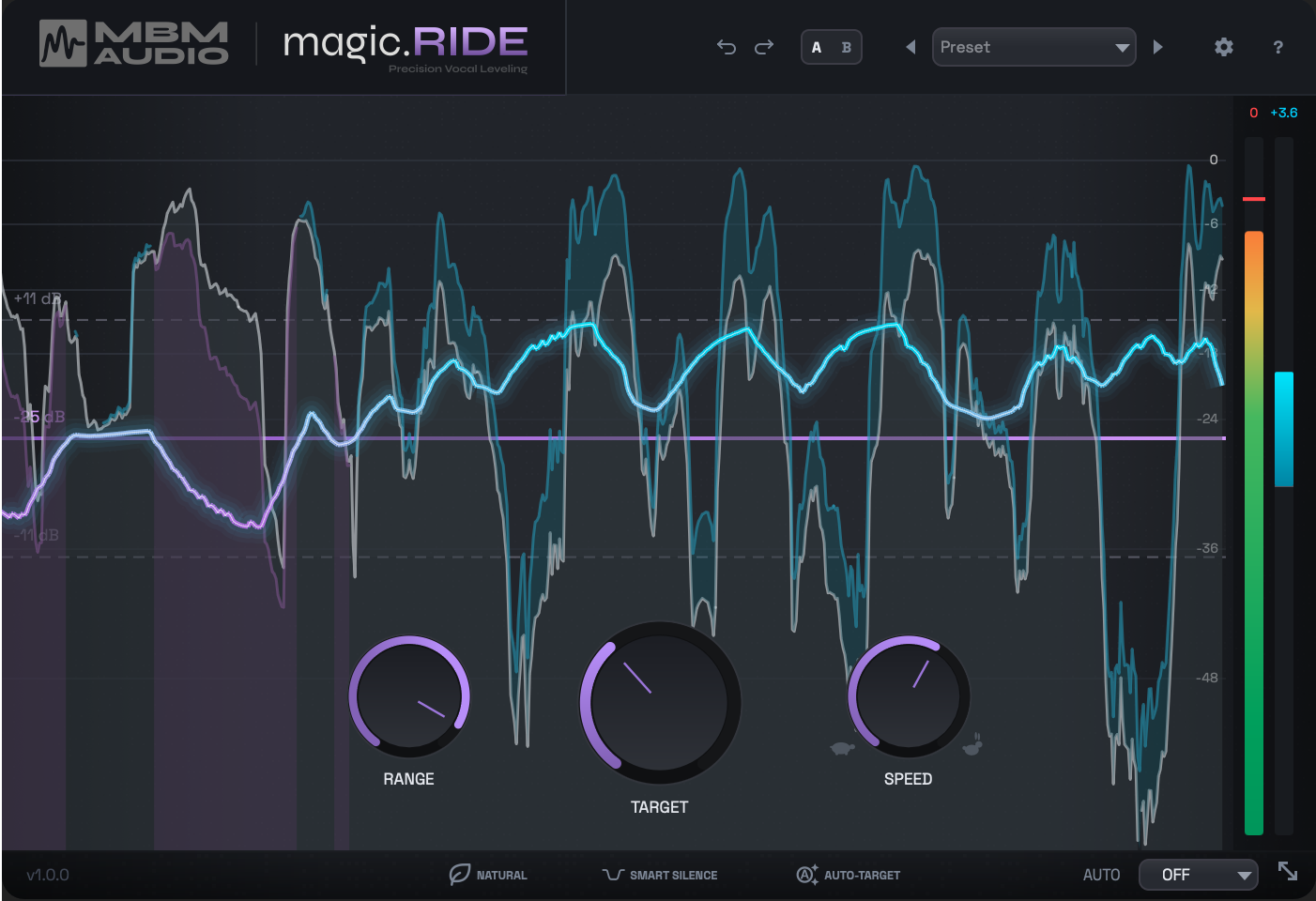
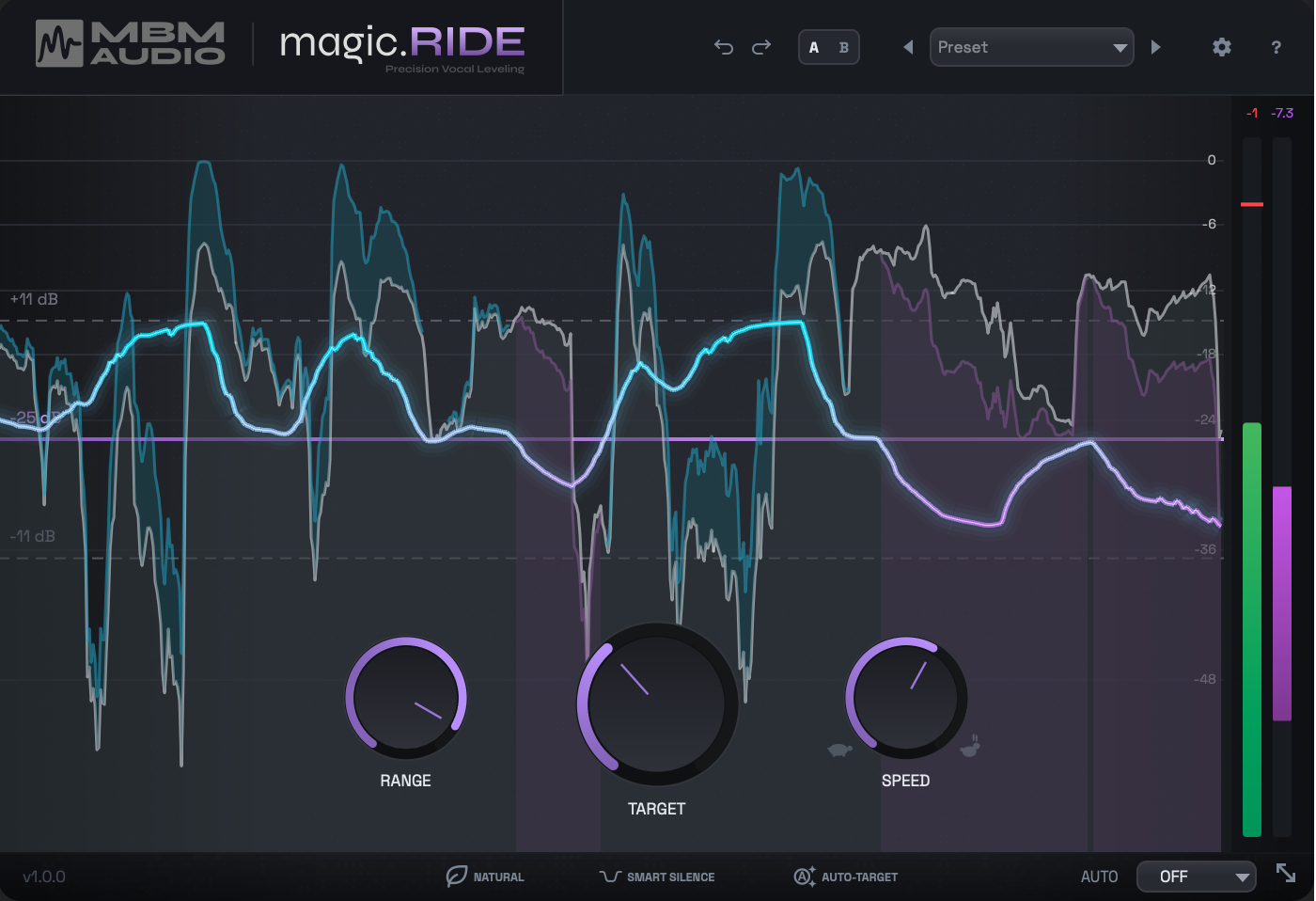
Drag the slider to compare the raw vocal waveform against magic.RIDE's output. No compression - just smooth, natural leveling.
Drag the slider to compare the raw vocal dynamics vs. magic.RIDE's leveled output - no compression, just gain riding.
Hear the
Difference
Toggle between before and after to hear how magic.RIDE levels your vocals. Try different examples to hear it on various sources.
Waves Vocal Rider vs. magic.RIDE
I built my own vocal rider because I couldn't stand the ones that already exist. Then I put it up against the industry standard in a blind audio test.
Short on time? Here's the quick demo.
Why You'll Love
magic.RIDE
Spend Less Time on Tedious Edits
No more drawing automation by hand. Focus on the creative stuff.
Vocals That Sit in the Mix
Consistent levels from verse to chorus, every time.
Keep the Emotion in Your Performance
Natural dynamics without the heavy compression artifacts.
Works Before Your Compressor
Feed it a consistent signal. Less pumping, better sound.
Producers Are Loving
magic.RIDE
Real reviews from producers using magic.RIDE in their sessions.
"Compared it to Waves Vocal Rider.. this plugin is NEXT LEVEL"
yïelii
"I had to produce and mix a record for American Idol finalist, Kolbi Jordan. On every vocal track and on the vocal groups, I used "magic.RIDE". magic.RIDE allowed me to get to mixing without obsessing over writing-level automation, which was really important given my tight deadline. I will definitely use magic.RIDE on every mix going forward."
Nate "STK' Johnson
"Seems to work pretty great with just the default settings on pop and softer vocals but tends to boost sibilance and create some pumping on my louder highly dynamic rock vocals. It's probably user error."
WinD
Verified Purchase
Reply from Mattie
Probably not user error. Loud, dynamic rock vocals are the hardest job for a rider. Three things to try: the Rock preset or Tame Loud Vocal (in Rescue), a slower RELEASE (that's what stops pumping), and a lower TRANSIENT. TRANSIENT keeps consonants like "s" at full level while RIDE turns the phrase down, which can make sibilance jump out. A de-esser after RIDE helps too.
"Just balancing the vocal levels with this slick easy-to-use tool gives them a professional polish they'd been missing. Great app."
Rad Datsun
Verified Purchase
"I really love this plugin; it takes a lot of the guessing game out of my vocal ride, and I have manual control. "
Junkyard Groove
"20 years experience as a recording, engineer and producer. I can’t tell you how excited I was about this plug-in when I was watching all the YouTube videos about it. Microphone used: Lauten Oceanus into Great River and Lynx Aurora Unfortunately, I’ve tried every setting I could and couldn’t ever get it to sound natural at all. Fast, slow, natural on or off, RMS or LUFS, it never sounded right Even when I latched the plug in where it showed me how it was writing and reacting, what I was hearing was exactly what was showing up visually as well. It just does things that sound very unnatural. I tried it on three different vocal clients and I probably spent about three hours. Trying to make sure I wasn’t just not understanding how to use the plug-in. I rarely give negative reviews for stuff like this, especially when someone is out there trying to make a very useful product if it worked correctly… But this plug-in probably only works on like 10 to 20% of vocal types. Definitely not one that I had."
Anonymous
Reply from Mattie
Thank you for putting real hours into it across three clients. I'm sorry it didn't work on your vocals. If you're up for it, I'd really like to hear one of those raw vocals: email a short clip to mattie@musicbymattie.com. Hearing exactly where it sounds unnatural is how the next version gets better.
"For now, I can use magic RIDE on protools but automation writing is not available. Is this right? "
Another Season
Reply from Mattie
It does work in Pro Tools, but Pro Tools doesn't enable plug-in parameters for automation by default. Click the Plug-In Automation button in RIDE's window and add "Gain Output". Put the track in Latch or Write, set RIDE's automation dropdown (bottom right) to WRITE and play the section, then switch both to READ to play it back. To make this the default, turn on Preferences > Mixing > "Plug-In Controls Default to Auto-Enabled" before inserting RIDE.
"Wow, just amazing stuff. Great work, the plugin does what it's supposed to do and the controls are actually quite good and effective (you can actually hear the difference, also natural mode is amazing.) "
Anonymous
"I am a slow leaner - the presets are a great starting point."
Anonymous
"simply amazing!"
Robby Passuti
"I've always had problems with voice modulation lately because I haven't trained it enough. I have tried wave plugins, which do their job well but this one is undoubtedly the BEST"
TXB73
"The best vocal rider that I have seen in action for the best prize. "
LIME SUNRAY
"🔥🔥🔥🔥 Super easy to use and the pre sets are amazing!"
Dj ItchyFinga
"nice GUI. can't wait to try it out."
Anonymous
"This is the best i have found"
Chunkiebeatz
"As a voice-over artist and podcast producer, I'm immediately seeing results that are saving me time. No more hand drawing volume automation to achieve the consistent levels I'm looking for. I have not been this excited for a plugin in quite some time. Well done."
Mr Producer
"The plugin works really nicely and makes vocals sound amazing and adds emphasis on dynamic range for you vocals, making them sound professional. So far loving it! (I used. logic vocal sample for the sample, with nothing but the magic.rider)"
Anonymous
"The plugin seems to work well. I preferred the sound of it ducking the volume more than increasing it. (Maybe there could be an indication on the knob of where ducking ends and boosting starts, just an idea. The purple/blue meter on the right indicating is helpful but I didn't notice it at first) I wanted to share a few things to help the development: -My antivirus software detected the installer as suspicious (Windows 10) - After loading a second plugin in FL Studio 2025, the DAW crashed -Didn't realize there wasn't a .aax version, would love this in Pro Tools Side note: On your site, the Contact Support button doesn't work Cool and useful plugin. Looking forward to updates!"
Nate D / drdog111
Reply from Mattie
Thanks Nate. Since then RIDE has gained an AAX version for Pro Tools (Mac and Windows), and 1.3.1 added separate Boost and Cut range knobs, so you can let it duck more than it boosts. 1.3.1 also reworked how the audio and display threads talk to each other across DAWs. If FL Studio still crashes with a second instance, please tell me. And sorry about the Contact Support button. You can email me directly at mattie@musicbymattie.com.
"Quick and easy. Does what it says on the box"
The Cook, The Thief
"very quick results! my compressor only function as analog coloring. no compression at all. good job mattie"
Emi Fay
Powerful Features,
Simple Interface
Hover over the dots to explore each feature.
Tap or hover over the dots to learn about each feature
How magic.RIDE
Compares
See how magic.RIDE stacks up against other vocal riding solutions.
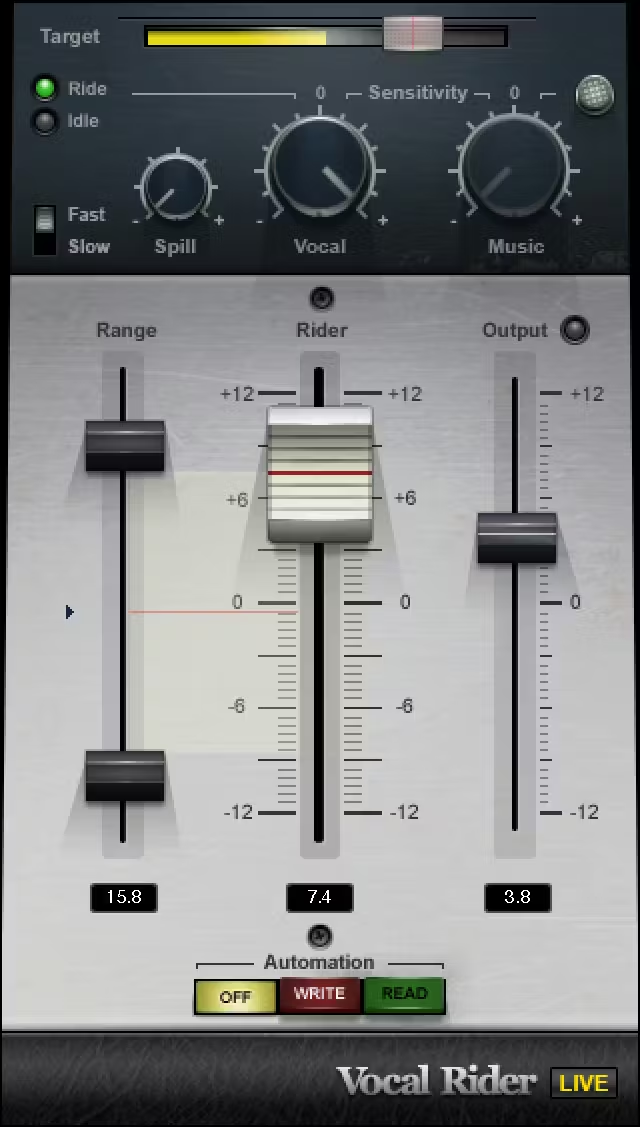
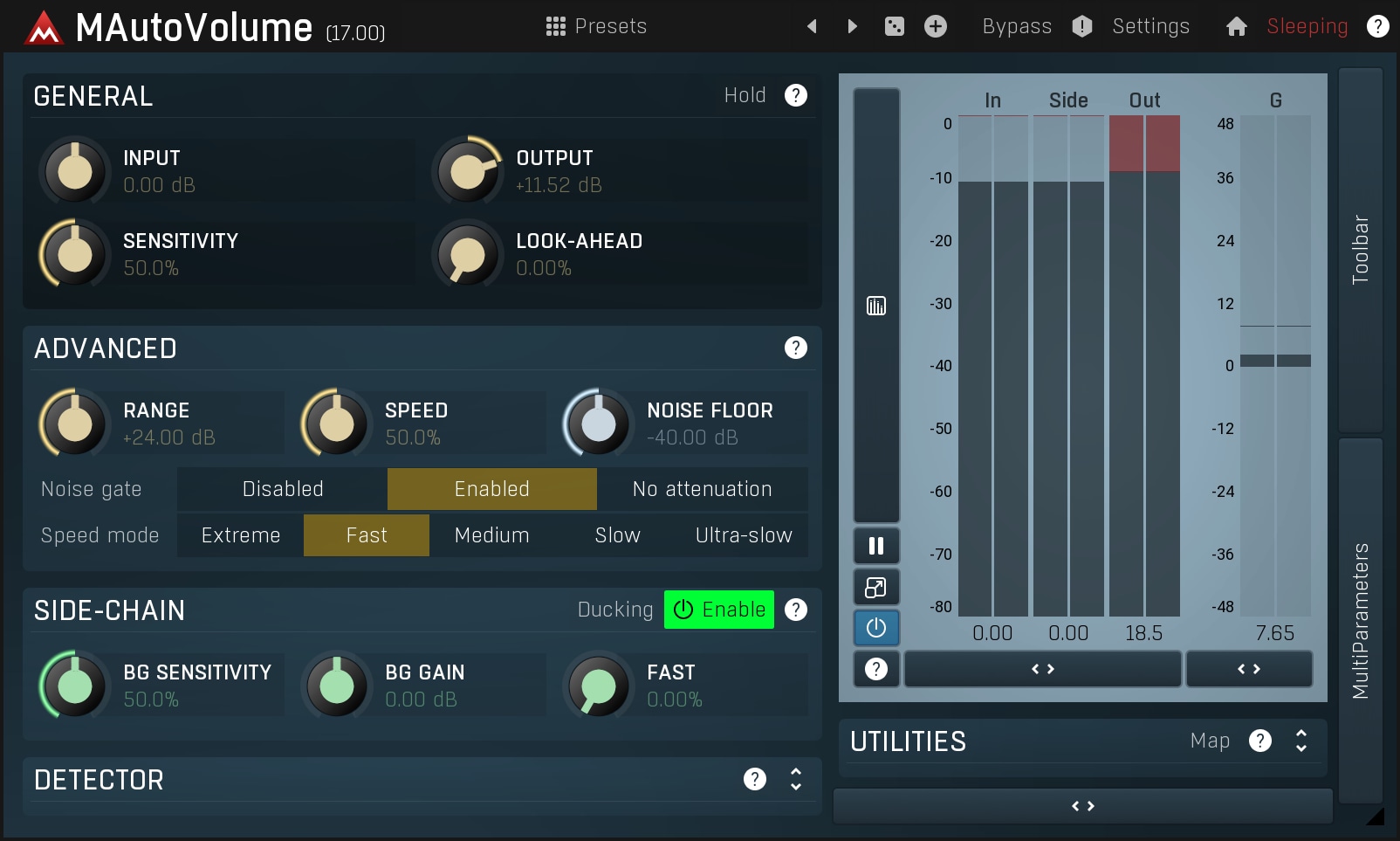
| Feature | magic.RIDE MBM Audio | Vocal Rider Waves | MAutoVolume MeldaProduction |
|---|---|---|---|
| Real-time gain riding | |||
| Write automation to DAW | |||
| AUTO-TARGET level detection | |||
| SMART Silence detection | |||
| LUFS/RMS detection modes | |||
| Phrase-based NATURAL mode | |||
| Breath reduction | |||
| Transient control | |||
| Sidechain input | |||
| One-time purchase | |||
| Price | $39 | $39 | $58 |
*Waves requires an annual subscription for updates
Works With Your DAW
Available as AU, VST3, AAX & LV2 for macOS, Windows & Linux








System Requirements
Make sure your setup is compatible before you buy.
macOS
- macOS 14 (Sonoma) or later
- Intel & Apple Silicon (Universal Binary)
- AU, VST3 & AAX
- Minimal CPU & RAM usage
Windows
- Windows 10 or later
- 64-bit (x86_64)
- VST3 & AAX (Pro Tools)
- Minimal CPU & RAM usage
Linux
- Modern x86_64 distros
- Bitwig, Reaper, Ardour, Tracktion, Carla
- VST3 & LV2
- Minimal CPU & RAM usage
Ready for Effortless Vocals?
Get professional vocal leveling in your next session. One-time purchase, lifetime updates.
Instant download. Lifetime updates.
Questions about the plugin?
View Full Documentation