
The 5 Best Free Vocal Presets for Ableton!
Vocal presets are a great way to instantly up your vocal sound. All with the click of a button, your vocals can get professional quality processing and sound am

Key Takeaways
- Free vocal presets can compete with paid options if you know where to look
- Look for presets with macro controls so you can easily adjust for your voice
- Hit around -18 LUFS before applying presets to ensure proper compressor response
- Download multiple preset packs since different voices need different processing approaches
- Start with macro controls before diving into individual plugin settings
Vocal presets can transform your tracks from amateur to professional in seconds — and sometimes the best ones don’t cost a dime.
I’ve been digging through the internet to find the absolute best free vocal presets for Ableton Live. After testing dozens of options, I’ve narrowed it down to five standouts that actually deliver on their promise of professional-quality vocal processing.
Here’s the thing about vocal presets — most of them suck. They’re either too generic, too complicated, or they just don’t sound good on real voices. But these five? They’re the rare exceptions that actually work.
I also made a full video on this…
All the ideas in this article come from the video below. If you don't feel like reading, well, I gotchu.
Part of the Vocal Presets & Processing series — For the full picture, read my guide to finding and making vocal presets.
What Makes a Great Vocal Preset
Before we dive into the list, let’s talk about what separates a decent vocal preset from a great one.
Macro controls are everything. If you can’t easily adjust the sound to fit your voice, the preset is basically useless. Every voice is different — what works for one singer might sound terrible on another.
Simplicity beats complexity. Some presets throw every plugin in Ableton at your vocals. That’s not always better. The best presets use clean, purposeful processing that enhances your voice without drowning it in effects.
Multiple options matter. One-size-fits-all vocal chains are a myth. You need options for different vocal styles, different genres, and different voices.
With that foundation, let’s get into the rankings.
#1: Baywood Audio — The Professional Standard
Baywood Audio takes the top spot — and for good reason.
I’ve had the chance to meet Jordan, the founder of Baywood Audio, and this guy is absolutely meticulous about his sound. His entire line of vocal presets is top-notch, and his free pack for Ableton is no different.
What Makes Baywood Special
The processing is clean and purposeful. No unnecessary effects, no overprocessing — just solid vocal enhancement that works on most voices right out of the box.
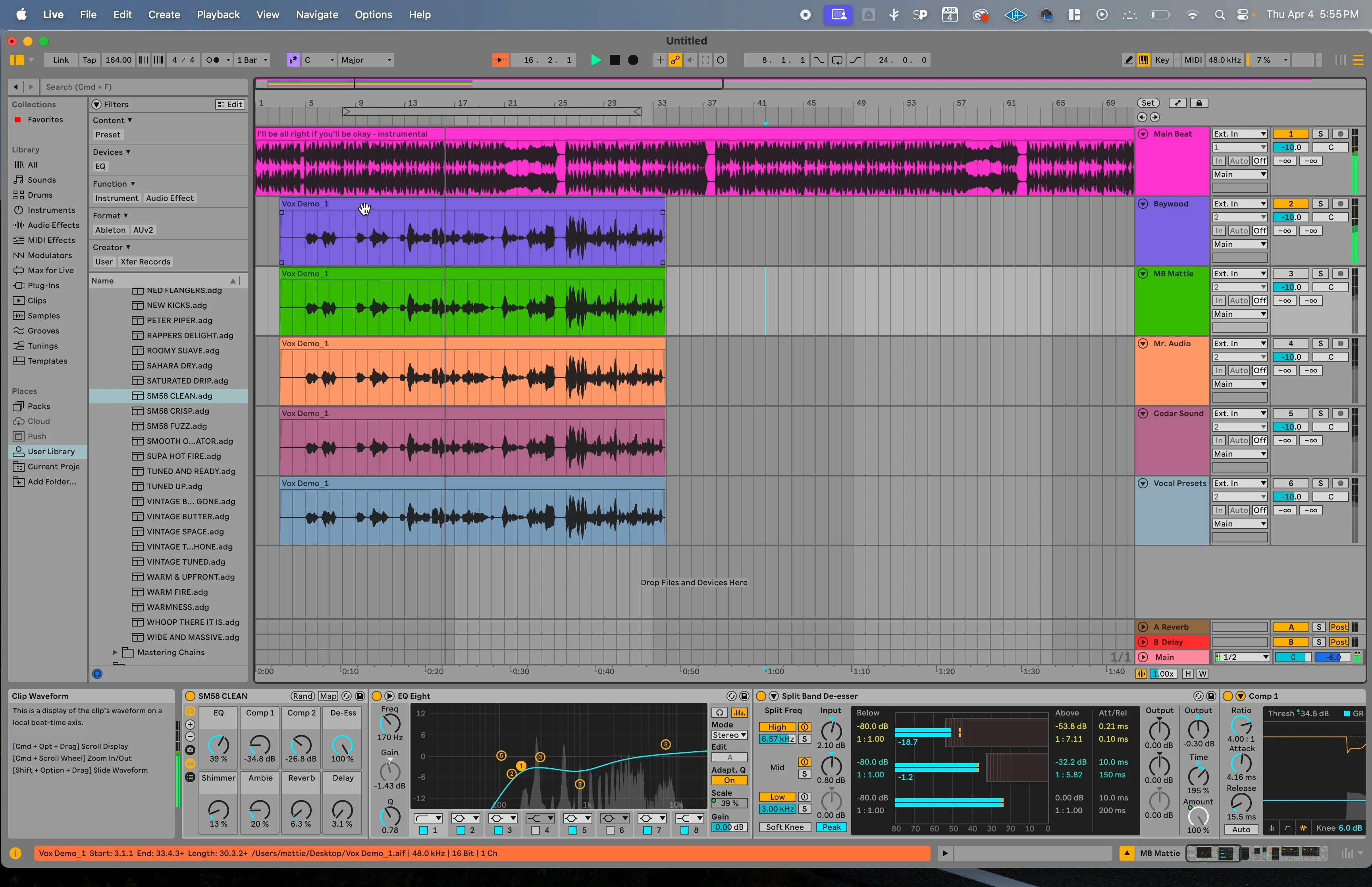
The macros are clearly labeled and intuitive. You don’t need a manual to figure out what each knob does. Turn up “Warmth” and your vocals get warmer. Increase “Presence” and your vocals cut through the mix better. Simple.
The Sound
Baywood’s presets deliver that polished, radio-ready sound without sounding overproduced. They enhance what’s already good about your voice instead of completely transforming it.
There are fewer overall options than some other packs on this list — but that’s actually a strength. Sometimes too many choices lead to analysis paralysis. Baywood gives you exactly what you need, nothing more.
#2: Music By Mattie — Maximum Flexibility
Yeah, I’m putting my own presets at #2. I’m absolutely biased — but I made these because the options out there weren’t cutting it.
Here’s why I created this pack: most free vocal presets give you one template and hope it works on your voice. That’s not realistic.
Why Multiple Presets Matter
Every voice is different. A preset that sounds amazing on a deep male voice might sound terrible on a high female voice. That’s why I’m giving you 10 different vocal chains instead of just one.
Each preset targets different vocal styles and tones:
- Bright, cutting vocals for pop music
- Warm, intimate sounds for R&B
- Aggressive processing for rock vocals
- Clean, natural sounds for acoustic tracks
The Technical Details
All my presets use Ableton’s macro controls to their fullest potential. Every important parameter is mapped to a macro, so you can shape your sound without diving into individual plugins.
Pro tip: Make sure your vocal is hitting around -18 LUFS before hitting these presets. That ensures the compressors react properly and you get the intended sound.
The presets are designed to work right out of the box, but you can easily adjust them using the macro controls. Want more compression? Turn up the “Punch” knob. Need more clarity? Increase “Brightness.”
#3: Mr. Audio — The Feature-Packed Option
Mr. Audio runs a smaller YouTube channel, but don’t let that fool you — his vocal preset is loaded with features.
What I Like About Mr. Audio’s Approach
This is his third iteration of the preset, which tells you he’s been refining and improving it over time. The attention to detail shows.
The preset uses Ableton’s rack feature extensively, giving you tons of control over every aspect of your vocal sound. There are knobs for everything — EQ, compression, saturation, reverb, delay, you name it.
The Potential Downside
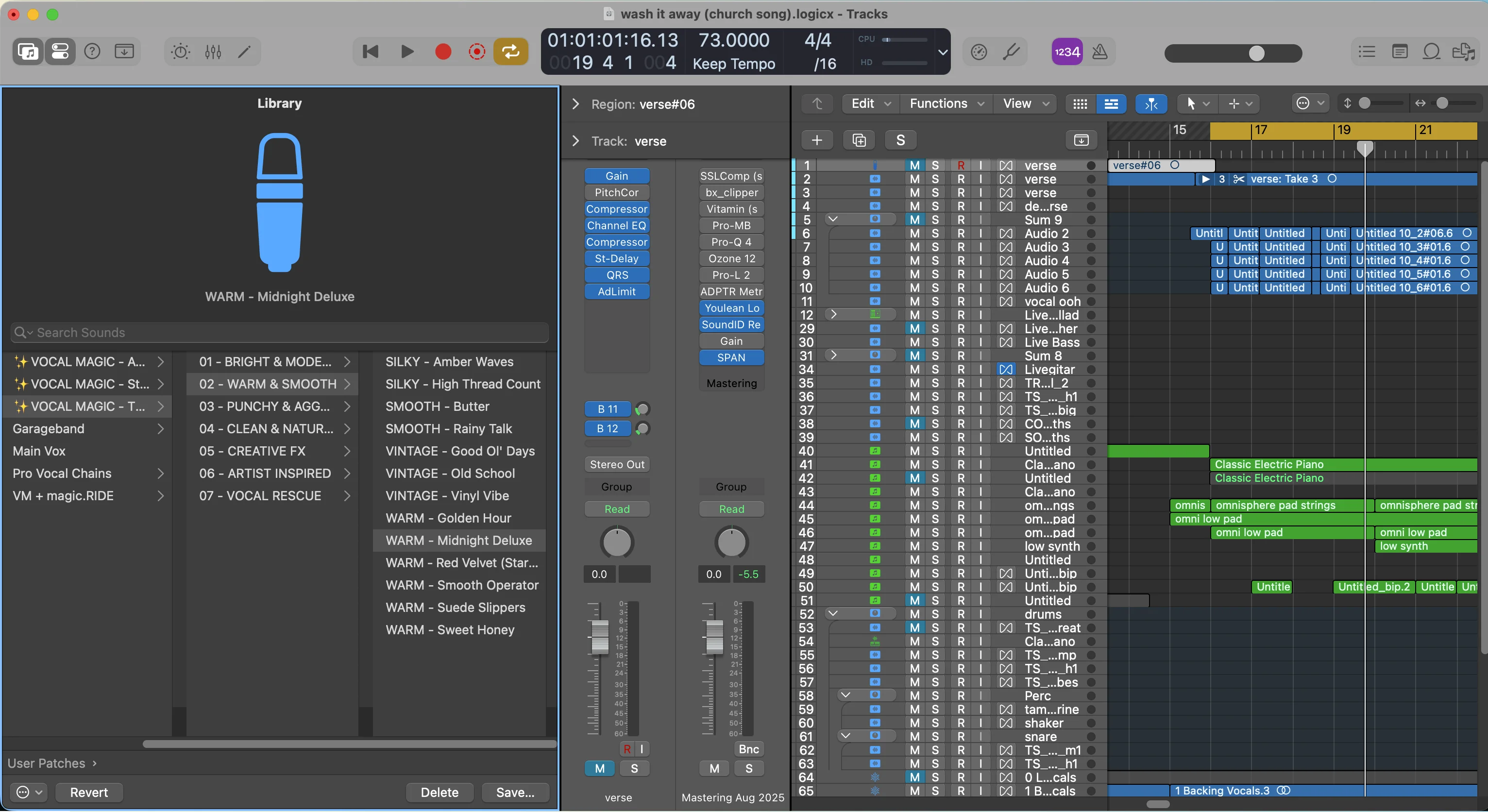
My only complaint? It might be overkill for some vocals. Having every possible processing effect loaded onto every vocal can lead to overprocessing if you’re not careful.
But if you know what you’re doing, this preset gives you incredible flexibility. You’re bound to find a combination of settings that works for your voice.
His website is still a work in progress (mine sometimes is too), but the preset itself is solid.
#4: Cedar Sounds — The Basic Option
Cedar Sounds delivers decent results for a free preset, but it’s definitely more basic than the others on this list.
What Works
I like the processing chain he’s chosen. The effects are in the right order and the settings are reasonable. You’ll get a usable vocal sound without too much fuss.
Cedar Sounds also offers some interesting artist-specific presets on their site. I haven’t tested them all, but the concept is cool — imagine being able to get The Weeknd’s vocal sound with a single preset.
Speaking of The Weeknd — if you’re interested in that sound, I actually made a detailed breakdown of how to recreate his vocal processing using stock Ableton plugins. There’s a free download that goes with it.
The Limitations
Here’s where Cedar Sounds falls short: no macro controls. Everything is set up as individual plugins, which makes it harder to adjust if you don’t know exactly what you’re doing.
You also only get a couple of presets in the pack, so your options are limited.
It’s not bad — it’s just not as user-friendly or flexible as the top three options.
#5: Vocal Presets.com — The Disappointing Option
The “Big Drip” preset from vocal presets.com rounds out the list — but honestly, it’s the worst-rated preset in my testing.
I’m not saying it’s terrible. I’m not saying you shouldn’t download it. But I’d definitely recommend grabbing the other four first.
What’s Wrong With It
Like Cedar Sounds, no macro controls. Everything is individual plugins, making it harder to adjust for your specific voice and song.
You only get one lead vocal preset, so there’s no flexibility for different vocal styles or voices.
The processing itself isn’t bad — it just doesn’t stand out compared to the competition.
My Top Pick (And Why I’m Biased)
My favorite choice from this list is my own presets — and yes, I’m 100% biased.
But here’s the thing: I made this preset pack specifically because the free options out there weren’t meeting my standards. I wanted to create something that actually worked for real producers making real music.
Why I Made These Presets
The whole reason I scratched my own itch and made these presets was simple — the existing options weren’t good enough.
Most free vocal presets suffer from the same problems:
- Only one template (doesn’t work for every voice)
- No macro controls (hard to adjust)
- Overprocessed or underprocessed
- Generic sound that doesn’t enhance your specific voice
I wanted to solve all of these problems with one pack.
What You Get
10 different vocal presets targeting different sounds and vocal styles. Not just one generic template that may or may not work on your voice.
Full macro control over every important parameter. You can shape the sound without needing to understand every plugin in the chain.
Professional processing chains that I actually use in my own production work. These aren’t academic exercises — they’re real tools I use to get professional results.
Installation and Setup Tips
No matter which preset pack you choose, here are some universal tips for getting the best results:
1. Level Your Input Properly
Hit around -18 LUFS before the preset processing. This ensures compressors and other dynamics processors react the way they’re supposed to.
Too hot and you’ll get unwanted distortion. Too quiet and the processing won’t engage properly.
2. Start With Macros
Don’t immediately dive into individual plugin settings. Use the macro controls first to get your sound in the ballpark, then make fine adjustments if needed.
3. Trust Your Ears
Presets are starting points, not final destinations. Adjust based on what sounds good, not what looks right on paper.
4. Consider Your Genre
A preset that works perfectly for pop vocals might sound wrong for hip-hop. Choose your starting preset based on the style of music you’re making.
The Bottom Line
Free vocal presets can absolutely compete with paid options — if you know where to look.
These five packs represent the best free options available for Ableton Live users. Each has its strengths and weaknesses, but all of them can help you achieve more professional-sounding vocals without spending a dime.
My personal recommendation? Download multiple packs. Different presets work better for different voices and different songs. Having options gives you the flexibility to find the perfect sound for each project.
Remember — the best preset is the one that makes your voice sound its best. Don’t get caught up in technical specs or fancy interfaces. Trust your ears and choose what sounds good.
Want a professional starting point? My Vocal Magic presets give you ready-made vocal chains for any genre — EQ, compression, reverb, and more, all dialed in and ready to go.
Or grab my free vocal presets to try before you buy.
About Mattie
Mattie is a music producer, songwriter, and educator specializing in Logic Pro and vocal production. With over 10 years of experience in the music industry, he's helped thousands of artists transform their home studio recordings into professional-quality tracks.
As the founder of Music By Mattie, he creates tutorials, presets, and courses that simplify complex production techniques. His mission is to make professional music production accessible to everyone, regardless of budget or experience level.